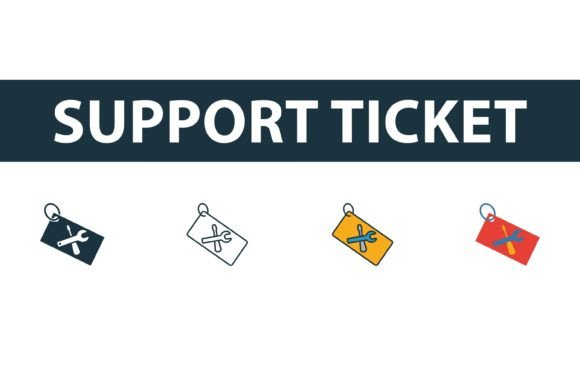
Support Ticket Icon Set: Versatile Web Icons
In the digital landscape, visual communication often speaks louder than text. A well-chosen icon can guide a user’s eye, clarify a complex process, or simply add a touch of professionalism to a website. This is where a high-quality Support Ticket Icon Set becomes an invaluable asset for designers, developers, and business owners alike. Whether you are building a customer service portal, designing a help center, or creating marketing materials for a SaaS product, having the right graphical elements is crucial for establishing trust and clarity.
This collection features four distinct elements drawn from a comprehensive web hosting icons library. These are not just static images; they are versatile vector graphics designed to adapt to various design systems. The set includes creative support ticket symbols in filled, outline, colored, and flat styles. By providing these variations in EPS, JPG, AI, and SVG formats, the package ensures that users of all skill levels can integrate these assets seamlessly into their projects.
Why Visual Consistency Matters in Customer Support
Customer support is often the first point of contact between a brand and a frustrated user. The visual language used in support interfaces plays a subtle but significant role in user experience. Cluttered or inconsistent imagery can increase cognitive load, making it harder for users to find the help they need. A cohesive Support Ticket Icon Set helps streamline this process.
For entrepreneurs and small business owners, the priority is often speed and reliability. You need assets that look professional without requiring hours of custom illustration. Using pre-made, high-quality vectors allows you to launch your help desk or FAQ section quickly. The availability of multiple styles—such as outline for a minimalist look or filled for higher visibility—means you can match the icons to your existing brand guidelines without compromise.
Tailored Benefits for Different Audiences
The value of this icon collection varies depending on who is using it and for what purpose. Understanding how different groups evaluate these assets can help you determine if they fit your specific needs.
For Web Designers and Developers
Professionals in web development prioritize flexibility and technical compatibility. The inclusion of SVG and AI files is particularly relevant here. SVGs are scalable vector graphics that remain crisp on any screen resolution, from mobile phones to 4K monitors. This ensures that your support ticket icons look sharp regardless of the device.
Developers also appreciate the ease of editing. With AI and EPS files, you can modify stroke weights, change colors to match dynamic themes, or adjust sizes without losing quality. The outline style is often preferred for modern, clean interfaces where subtlety is key, while the filled style might be used for active states or buttons to draw attention. Having both options in one package saves time searching for matching pairs across different libraries.
For Marketers and Content Creators
Marketers focus on engagement and conversion. When creating blog posts, email newsletters, or social media graphics about customer service tips, visual aids break up text and improve readability. The colored and flat symbols in this set are ideal for these contexts. They add a pop of color that can align with campaign themes or brand identities.
For bloggers and educators, these icons serve as visual anchors. If you are writing a tutorial on how to submit a support ticket, embedding a clear, recognizable icon helps readers instantly identify the subject matter. The JPG files provided in the set are perfect for quick insertion into content management systems like WordPress, where vector handling might require additional plugins or setup.
For Beginners and Hobbyists
If you are new to graphic design or running a small side hustle, the learning curve of creating professional icons can be steep. This Support Ticket Icon Set lowers that barrier. You do not need advanced skills in Adobe Illustrator to get started. The pre-designed nature of the assets means you can drag and drop them into your projects immediately.
Hobbyists building personal websites or community forums can use these icons to add a layer of polish that distinguishes their site from amateur templates. The variety of styles allows for experimentation. You might start with the flat design for a friendly, approachable feel and later switch to the outline style as your brand matures. The ability to edit these files easily means you can learn by doing, tweaking colors and shapes to see what works best for your audience.
Evaluating Quality and Usability
When selecting digital assets, several factors come into play: ease of use, cost-effectiveness, quality, and long-term usefulness. This icon set addresses these priorities effectively.
- Format Versatility: The provision of EPS, JPG, AI, and SVG covers almost every use case. EPS and AI are industry standards for print and heavy editing, SVG is the web standard, and JPG is universal for quick previews or non-vector applications.
- Style Diversity: Having filled, outline, colored, and flat options in one collection ensures consistency. Mixing icons from different sources often leads to mismatched stroke widths and perspectives, which looks unprofessional. This set maintains a unified visual language across all four styles.
- Editability: Vector graphics are inherently editable. You can recolor the icons to match your brand palette instantly. This flexibility is crucial for maintaining brand identity across different platforms and campaigns.
For freelancers and agencies, this versatility translates to commercial value. You can use these icons across multiple client projects, adapting the style to suit each client’s unique branding. This makes the initial investment in the icon set highly cost-effective over time.
Practical Applications in Web Hosting and SaaS
Given that these icons are part of a web hosting collection, they are particularly suited for tech-related industries. In a web hosting dashboard, a support ticket icon might link users to live chat or a knowledge base. The clarity of the symbol ensures that users can navigate the interface intuitively.
Consider a SaaS platform offering cloud services. The outline version of the support ticket icon could sit in the navigation bar, remaining unobtrusive until hovered over, at which point it might switch to the filled version. This interactive use of icon states enhances user experience by providing visual feedback. Meanwhile, the colored version could be used in promotional emails to highlight new support features or updates.
Making the Right Choice for Your Project
To determine if this Support Ticket Icon Set is right for you, consider your current project requirements. Are you building a responsive website? Prioritize the SVG files for scalability. Are you designing printed brochures or high-resolution presentations? The EPS and AI files will ensure crisp output. Do you need quick assets for social media? The JPGs are ready to go.
Also, think about your brand’s personality. A fintech company might prefer the clean, professional look of the outline or flat styles. A creative agency or a lifestyle brand might lean towards the colored or filled versions for a bolder statement. The availability of all four styles allows you to align the visual tone with your brand voice accurately.
Ultimately, the goal is to enhance communication. Whether you are a beginner looking to polish your first website or a seasoned designer seeking efficient assets for a client project, this collection offers the tools needed to convey support and reliability visually. By choosing a versatile, high-quality icon set, you invest in the clarity and professionalism of your digital presence.