Mastering the Technical Support Icon Set
In the fast-paced world of digital product design, clarity is king. Users do not have time to decipher ambiguous graphics when they are looking for help. This is where a high-quality Technical Support Icon Set becomes an indispensable asset for designers, developers, and business owners alike. Whether you are building a customer service portal, designing a mobile app interface, or creating marketing materials for a SaaS platform, the right visual cues can significantly enhance user experience. A well-crafted icon set does more than just decorate a page; it communicates function, builds trust, and guides users intuitively through complex processes.
Understanding the Versatility of Modern Icons
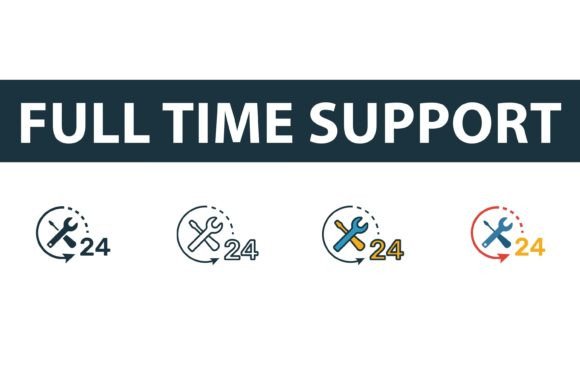
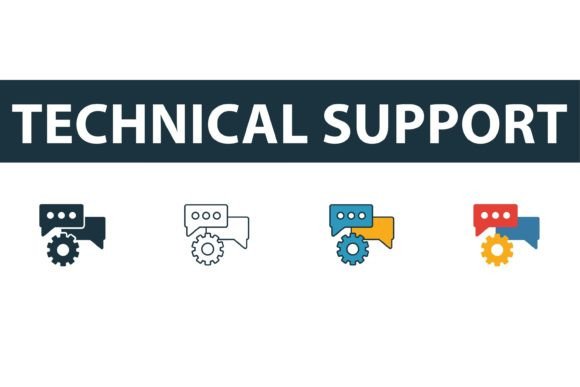
At its core, a technical support icon set is a collection of vector graphics designed to represent assistance, troubleshooting, and customer care. However, not all icon packs are created equal. The most valuable collections offer versatility, providing four distinct elements in different styles from a comprehensive web development icons collection. These typically include creative technical support icons in filled, outline, colored, and flat symbols. This variety allows designers to maintain consistency across different parts of their project while adapting to various visual contexts.
For instance, you might use the outline style for a minimalist navigation bar where subtlety is key. In contrast, the filled version of the same icon can be used for active states or call-to-action buttons to draw immediate attention. The colored variants add personality and brand alignment, making them perfect for onboarding screens or educational tooltips. Meanwhile, the flat symbols offer a clean, modern look that works exceptionally well in dense information dashboards. Having access to all these styles within a single package ensures that your visual language remains cohesive, regardless of the specific UI component you are designing.
Why Vector Graphics Matter for Professional Design
One of the most critical aspects of any professional icon pack is the file format. When you invest in a premium Technical Support Icon Set, you are not just buying images; you are acquiring scalable assets. Typically, you will receive EPS, JPG, AI, and SVG files. Understanding the difference between these formats is crucial for maximizing their utility.
The SVG (Scalable Vector Graphics) and AI (Adobe Illustrator) files are the workhorses for web and app development. Because they are vector-based, they can be scaled to any size without losing quality. This means your icon will look crisp on a tiny smartwatch screen and equally sharp on a massive 4K monitor. For developers, SVGs are particularly valuable because they can be styled directly with CSS, allowing for dynamic color changes and animations without needing to create multiple image files.
On the other hand, EPS files are ideal for print media. If you are creating brochures, business cards, or large-format banners for a tech conference, EPS ensures that your graphics remain sharp at any physical dimension. The inclusion of JPG files provides a quick-and-easy option for presentations, social media posts, or internal documents where editing capabilities are not required. This comprehensive file selection makes the set easy to edit and use across virtually any medium, saving you hours of conversion time and ensuring professional results.
Practical Applications in Web and App Development
So, where exactly can you apply these symbols? The uses are vast and varied. For web developers, integrating a technical support icon set into a help center or knowledge base is a standard practice. A recognizable headset or chat bubble icon instantly signals to users where they can find assistance. Using the outline style for inactive links and the filled style for the current page helps users understand their location within the site hierarchy.
UX designers often utilize these icons in error states. When a user encounters a problem, displaying a friendly, colored support icon alongside a helpful message can reduce frustration and encourage them to seek help rather than abandoning the process. Similarly, in mobile applications, space is at a premium. Flat symbols provide the necessary clarity without cluttering the interface, ensuring that essential support features are accessible but not intrusive.
Beyond digital interfaces, marketers and content creators can leverage these graphics in email newsletters and blog posts. Including a visual cue for customer support in a transactional email can increase click-through rates and improve customer satisfaction. Educators creating online courses can use these icons to highlight resource sections or indicate where students can get technical help with the learning platform.
Enhancing Brand Identity and User Trust
Consistency in design fosters trust. When users see a consistent visual style across your website, app, and marketing materials, it reinforces your brand’s professionalism. A disjointed mix of icon styles can make a product feel unfinished or unreliable. By using a unified Technical Support Icon Set, you ensure that every touchpoint feels part of a cohesive whole.
Moreover, the ability to easily edit these vector graphics means you can customize them to match your brand colors perfectly. Instead of settling for generic blue or gray icons, you can adjust the hue to align with your corporate palette. This level of customization strengthens brand recognition and creates a more immersive user experience. It shows attention to detail, which users subconsciously associate with quality and reliability.
Key Considerations Before Choosing Your Icon Set
Before downloading or purchasing an icon pack, consider your specific needs. Are you primarily working on web projects, or do you need print-ready assets? Ensure the package includes both SVG and EPS files to cover all bases. Check the licensing terms to confirm that the icons can be used in commercial projects if you are building products for clients.
Also, evaluate the stylistic range. Does the set offer enough variation to handle different UI states? A pack that only offers one style may limit your design flexibility in the future. Look for sets that include filled, outline, colored, and flat options, as this versatility will save you from having to purchase additional packs later. Finally, test the editability. Open an AI or SVG file to ensure the layers are organized and the paths are clean. Easy-to-edit files streamline your workflow, allowing you to focus on creativity rather than technical cleanup.
In conclusion, a robust Technical Support Icon Set is more than just a collection of images; it is a strategic tool for improving communication, enhancing user experience, and strengthening brand identity. By choosing a versatile, high-quality vector pack, you equip yourself with the resources needed to create intuitive, professional, and visually appealing digital experiences.