Cloud Security Icon Set: A Practical Guide for Designers and Developers
In the rapidly evolving landscape of digital infrastructure, visual communication plays a pivotal role in how users perceive safety and reliability. The Cloud Security Icon Set has emerged as an essential resource for web designers, UI/UX professionals, and developers who need to convey complex security concepts through intuitive imagery. Whether you are building a dashboard for a cybersecurity firm, designing a landing page for a cloud storage provider, or creating educational materials about data protection, having access to high-quality, versatile icons is crucial. This article explores the features, benefits, and practical applications of this icon collection, helping you determine if it aligns with your project requirements.
Understanding the Cloud Security Icon Set
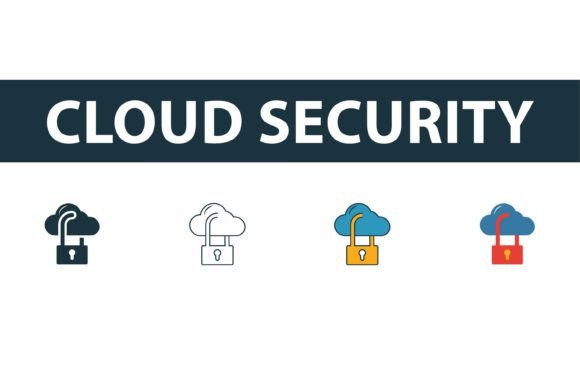
The Cloud Security Icon Set is a curated collection of vector graphics specifically designed to represent various aspects of cloud computing and cybersecurity. Unlike generic icon packs, this set focuses on niche symbols such as encrypted data locks, secure server racks, shielded clouds, and authentication protocols. The primary value proposition lies in its versatility. The collection includes four distinct styles: filled, outline, colored, and flat symbols. This variety allows designers to maintain visual consistency across different sections of a website or application while adapting to specific design systems.
Each icon is crafted with precision, ensuring that lines are clean and shapes are balanced. As vector graphics, these assets are resolution-independent, meaning they can be scaled to any size without losing clarity. This is particularly important for responsive web design, where icons must look sharp on everything from mobile screens to large 4K monitors. The set typically includes standard file formats such as EPS, AI, SVG, and JPG, providing flexibility for both web and print use cases.
Why Designers Choose Specialized Icon Collections
When evaluating design resources, professionals often weigh the time saved against the cost of acquisition. Creating custom icons from scratch is time-consuming and requires specialized illustration skills. Using a pre-made Cloud Security Icon Set accelerates the design process significantly. Here are several reasons why this specific collection attracts attention:
- Thematic Consistency: Mixing icons from different sources often results in a disjointed user interface. This set ensures that all security-related visuals share the same stroke width, corner radius, and visual weight.
- Immediate Usability: With files available in SVG and AI formats, developers can embed code directly into websites, while designers can edit vectors in software like Adobe Illustrator or Figma.
- Professional Aesthetic: Security is a serious topic. Poorly designed icons can undermine trust. High-quality vectors convey professionalism and attention to detail, which is critical when dealing with sensitive data topics.
Evaluating the Four Style Variations
One of the standout features of this collection is the inclusion of four different styles. Understanding when to use each style can enhance the effectiveness of your design.
Filled Icons
Filled icons are solid and bold. They are ideal for active states in user interfaces, such as selected tabs or primary navigation items. Their visual weight makes them stand out, drawing immediate attention to key security features.
Outline Icons
Outline icons are minimalist and lightweight. They work well in dense interfaces where space is limited, such as sidebars or footer menus. The open nature of outline designs feels less intrusive, making them suitable for secondary actions or informational contexts.
Colored Icons
Colored symbols add vibrancy and can be used to highlight critical alerts or status indicators. For example, a red shield might indicate a threat, while a green lock signifies a secure connection. These are particularly useful in dashboards where quick visual scanning is necessary.
Flat Symbols
Flat design remains a popular choice for modern web aesthetics. These icons strike a balance between simplicity and detail, avoiding the heaviness of filled icons and the starkness of outlines. They are versatile enough for both marketing materials and application interfaces.
Technical Considerations and File Formats
Before integrating any asset into your workflow, it is important to understand the technical specifications. The Cloud Security Icon Set provides EPS, JPG, AI, and SVG files. Each format serves a specific purpose:
- SVG (Scalable Vector Graphics): This is the preferred format for web development. SVGs are code-based, allowing for easy manipulation via CSS. You can change colors, sizes, and strokes dynamically without needing graphic design software.
- AI (Adobe Illustrator): Ideal for designers who need to modify the underlying vector paths. If you need to customize an icon to match a unique brand guideline, the AI file provides full editability.
- EPS (Encapsulated PostScript): A universal vector format compatible with many design programs. It is useful for print media or when sharing assets with collaborators who do not use Adobe products.
- JPG (Joint Photographic Experts Group): While not scalable, JPGs are useful for quick previews or situations where vector support is unavailable. However, they should be avoided for responsive web elements due to potential pixelation.
The ease of editing is a significant factor. Because these are vector graphics, you can easily recolor icons to match your brand palette. This flexibility ensures that the icons do not look like generic stock assets but rather like an integrated part of your design system.
When This Icon Set Is a Strong Fit
This collection is particularly valuable for projects where security and trust are central themes. If you are developing a fintech application, a healthcare portal, or a corporate IT management tool, the Cloud Security Icon Set provides the visual language necessary to communicate safety. It is also a strong fit for startups that need to launch quickly with a polished look but lack the resources for custom illustration.
Furthermore, educational platforms teaching cybersecurity concepts benefit from these clear, standardized symbols. Using consistent imagery helps learners associate specific icons with specific security protocols, enhancing comprehension and retention.
When to Consider Alternatives
While versatile, this set may not be the perfect solution for every scenario. If your brand relies heavily on highly customized, hand-drawn, or 3D illustrations, a standard vector icon set might feel too generic. In such cases, commissioning bespoke artwork may be necessary to maintain a unique brand identity.
Additionally, if your project requires animated icons, you will need to import these SVGs into animation software like After Effects or Lottie. While possible, this adds an extra step to the workflow. If you need ready-to-use animations, you might consider libraries that specialize in motion graphics.
Making the Final Decision
Choosing the right design assets involves balancing quality, cost, and time. The Cloud Security Icon Set offers a robust middle ground. It provides professional-grade visuals without the high cost of custom design. By offering multiple styles and editable formats, it accommodates various design needs and technical constraints.
To determine if this set aligns with your goals, consider your current design system. Do you have the capacity to customize these vectors to fit your brand? Does the visual style complement your existing UI? If the answer is yes, this collection can significantly streamline your workflow. Ultimately, the goal is to enhance user experience through clear, trustworthy visual cues. This icon set provides the tools to achieve that objective efficiently and effectively.