Computer Security Icon Set: Visual Essentials
In the digital landscape, trust is not just a feeling; it is a visual language. When users land on a fintech dashboard, a cybersecurity blog, or an enterprise software portal, their brains scan for cues that signal safety and professionalism before they read a single word. This is where the Computer Security Icon Set becomes an indispensable asset for modern creators. Unlike generic clip art that often feels disjointed or amateurish, this collection offers a cohesive suite of symbols designed specifically to communicate protection, encryption, and data integrity.
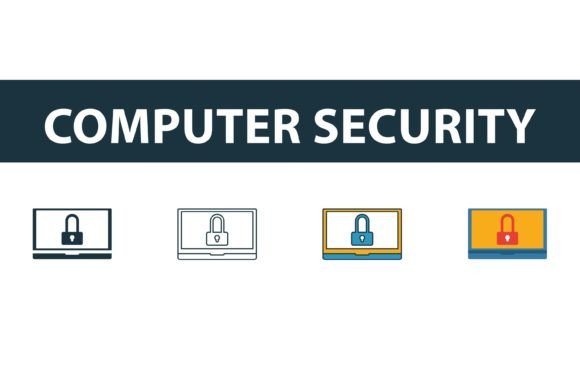
For designers, marketers, and small business owners, integrating high-quality vector graphics is no longer optional—it is a standard expectation. The Computer Security icon set stands out because it bridges the gap between technical precision and aesthetic appeal. It provides four distinct styles—filled, outline, colored, and flat—allowing you to maintain brand consistency across diverse mediums without sacrificing visual interest. Whether you are building a mobile app interface or designing a printed annual report, these symbols serve as universal shorthand for security.
Versatility Through Four Distinct Styles
One of the most significant challenges in web design and brand identity development is maintaining consistency while adapting to different contexts. A symbol that looks striking on a dark-mode mobile screen might disappear on a white paper invoice. The Computer Security Icon Set solves this by offering four complementary variations of each core symbol, including locks, shields, fingerprint scanners, and encrypted data blocks.
- Filled Symbols: These bold, solid shapes provide maximum visual weight. They are ideal for primary calls-to-action, active states in user interfaces, or any situation where you need the icon to dominate the visual hierarchy. The filled style conveys solidity and unbreakable strength.
- Outline Icons: Clean and minimal, outline versions are perfect for secondary navigation, subtle UI elements, or backgrounds where you do not want to overwhelm the user. They pair exceptionally well with sans serif font typography, creating a modern, airy feel.
- Colored Variations: Pre-configured with professional color palettes, these icons add immediate personality. They are excellent for social media graphics, infographics, or presentation decks where you need to grab attention quickly without spending hours on custom coloring.
- Flat Symbols: Stripping away depth and shadow, flat icons offer a contemporary, streamlined look. They are highly versatile for editorial design and long-form content, ensuring that the imagery supports the text rather than distracting from it.
This variety means you are not just buying a single image; you are acquiring a flexible design assets library. You can switch from an outline style for a minimalist website header to a filled style for a high-contrast footer, all while keeping the underlying geometry identical. This geometric consistency is crucial for professional logo design and cohesive packaging design.
Enhancing Brand Perception and User Trust
Why does the specific style of an icon matter? Because in commercial font and graphic selection, every element contributes to the overall narrative of your brand. A jagged, poorly aligned lock icon suggests vulnerability. A sleek, mathematically precise shield suggests robust protection. The Computer Security Icon Set is crafted with vector precision, ensuring that lines are smooth, curves are balanced, and proportions are harmonious.
When you use these icons in your brand identity materials, you subconsciously influence audience engagement. Users perceive brands that use consistent, high-quality modern typography and vector graphics as more established and trustworthy. This is particularly vital in sectors like finance, healthcare, and IT services, where the stakes are high. If your visual language is chaotic, users may question the security of their data. If your visuals are clean and unified, you reinforce the message that your systems are equally organized and secure.
Furthermore, these icons improve readability and information architecture. In complex dashboards or lengthy terms-of-service documents, breaking up text with relevant symbols helps guide the eye. It creates a visual rhythm that makes dense information more digestible. By pairing these icons with a reliable typeface, you create a clear visual hierarchy that helps users navigate your content effortlessly.
Practical Applications Across Industries
The utility of the Computer Security Icon Set extends far beyond traditional tech companies. Here is how various professionals can leverage these graphics:
- Web Developers and UI Designers: Use the SVG files for crisp rendering on retina displays. The lightweight code ensures fast load times, which is critical for SEO and user experience. Swap between outline and filled states using CSS to indicate interactive elements.
- Content Creators and Bloggers: Enhance articles about privacy, password management, or online safety with the colored or flat icons. These break up walls of text and make complex topics more approachable for general audiences.
- Marketers and Entrepreneurs: Incorporate the shield and lock motifs into email newsletters and landing pages to highlight security features of your product. This builds confidence during the conversion process.
- Print Publishers: The EPS and AI files ensure that your icons remain sharp whether printed on a business card or a large-format banner. There is no pixelation, ensuring a premium look for physical collateral.
For those working in editorial design, the flat and outline styles offer a sophisticated touch that complements serious journalism or technical documentation. Meanwhile, startups looking to establish a friendly yet secure image might prefer the colored variants to soften the often intimidating nature of cybersecurity topics.
Technical Specifications and Workflow Integration
A major advantage of this collection is its ease of use. You will receive the icons in four industry-standard formats: EPS, JPG, AI, and SVG. This comprehensive file selection ensures compatibility with virtually any design software, from Adobe Illustrator and Photoshop to Sketch, Figma, and Canva.
The SVG file format is particularly valuable for web projects. As a vector format, it scales infinitely without losing quality, and it can be styled directly with CSS. This allows developers to change colors, stroke widths, and opacity dynamically based on user interaction or theme preferences. For print projects, the AI file and EPS file provide editable layers, giving designers full control over every anchor point and curve. You can easily modify the icons to match your specific brand colors or integrate them into larger compositions.
When evaluating project fit, consider the licensing terms. This set is designed for both personal and commercial use, making it a safe choice for client work, product launches, and internal corporate communications. Always review the specific license agreement included with your download to ensure compliance with your intended usage, especially if you plan to redistribute the icons as part of a template or larger software package.
Choosing the Right Style for Your Project
Selecting the right variation from the Computer Security Icon Set depends on your existing design system. If your brand relies on a heavy, bold display font for headlines, the filled icons will likely complement that weight better than delicate outlines. Conversely, if your aesthetic is minimal and relies on whitespace, the outline or flat styles will maintain that airy feel.
Test your font pairings carefully. If you are using a serif font for body text to convey tradition and authority, pair it with the more structured, geometric filled icons to create a balanced contrast. If you are using a clean sans serif font, the outline icons will enhance the modern, tech-forward vibe. Avoid mixing too many styles within a single interface; stick to one primary style for consistency, using others only for specific hierarchical distinctions.
Ultimately, the Computer Security Icon Set is more than just a collection of images. It is a tool for building trust, enhancing usability, and elevating the professional quality of your digital and print presence. By choosing versatile, high-quality vector graphics, you invest in the clarity and credibility of your brand, ensuring that your audience feels secure from the first glance.