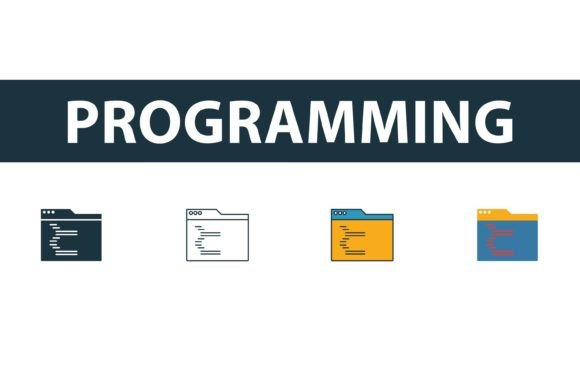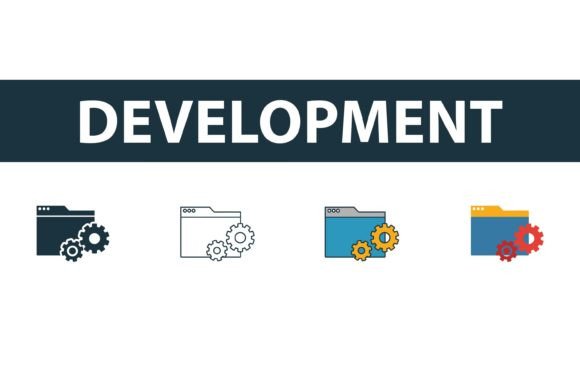
Development Icon Set: Essential Web Symbols
In the fast-paced world of digital design, visual communication often speaks louder than text. A Development Icon Set serves as a critical toolkit for designers, developers, and content creators who need to convey complex technical concepts quickly and clearly. Whether you are building a SaaS landing page, designing an educational course on coding, or creating marketing materials for a tech startup, the right icons can bridge the gap between abstract ideas and user understanding. This collection focuses on four distinct styles—filled, outline, colored, and flat symbols—providing the versatility needed for modern web projects.
Understanding the Versatility of Web Development Icons
At its core, a development icon set is a library of vector graphics representing tools, languages, and processes inherent to software engineering. These include symbols for coding languages like Python or JavaScript, database structures, cloud computing, security locks, and debugging tools. However, the value of these assets lies not just in their subject matter, but in their stylistic diversity. By offering filled, outline, colored, and flat variations, a comprehensive set allows users to maintain visual consistency while adapting to different design contexts.
For instance, an outline style might be perfect for a minimalist navigation bar where subtlety is key, while a filled, colored icon could serve as a bold call-to-action button or a feature highlight in a presentation. The ability to switch between these styles without losing thematic coherence saves designers hours of work, ensuring that the visual language of a project remains unified even as it evolves.
Why Different Audiences Value Icon Consistency
The utility of a high-quality Development Icon Set varies significantly depending on who is using it. While the end result—a polished visual asset—is the same, the priorities and use cases differ across professional roles.
For Professional Designers and Developers
Experienced UI/UX designers and front-end developers prioritize efficiency and scalability. For this group, the format of the files is paramount. Access to EPS, AI, SVG, and JPG files means that the icons can be integrated seamlessly into any workflow. SVGs are essential for responsive web design, allowing icons to scale infinitely without pixelation, while AI and EPS files provide the flexibility needed for deep customization in Adobe Illustrator.
Professionals also look for ease of editing. A well-structured vector file allows a designer to change colors, adjust stroke widths, or modify shapes to match a specific brand guideline instantly. Time is money in agency environments; having a pre-made, editable library eliminates the need to draw common symbols from scratch, allowing experts to focus on higher-level creative challenges.
For Entrepreneurs and Small Business Owners
Startup founders and small business owners often wear multiple hats, including marketing and product design. For them, a development icon set is a cost-effective solution for creating professional-looking pitch decks, websites, and social media graphics. They may not have the budget for a custom illustration suite, so a versatile, ready-to-use pack offers immediate value.
The priority here is often presentation and speed. An entrepreneur needs to communicate trust and technical competence to investors or clients quickly. Using standardized, recognizable symbols for concepts like "security," "cloud storage," or "API integration" helps convey professionalism without requiring advanced design skills. The inclusion of colored and flat styles allows them to add visual interest to otherwise dry technical slides, making their proposals more engaging.
For Educators and Content Creators
Educators teaching coding bootcamps, online courses, or writing technical blogs benefit immensely from visual aids. Complex programming concepts can be intimidating to beginners. Icons act as cognitive anchors, helping students associate abstract terms with visual cues. For example, using a consistent "bug" icon for debugging sections or a "database" cylinder for data lessons helps reinforce learning.
Content creators, such as tech bloggers and YouTubers, use these icons to break up text-heavy articles or to create thumbnails and video overlays. The variety of styles allows them to match the tone of their content. A serious, in-depth tutorial might use clean outline icons, while a lively, beginner-friendly video might utilize bright, colored flat symbols to maintain energy and engagement.
For Hobbyists and Beginners
Those new to web design or coding often struggle with the technical aspects of graphic assets. A user-friendly icon set lowers the barrier to entry. If the files are easy to edit and come in common formats like JPG for quick previews and SVG for web use, beginners can experiment without fear of breaking their layout. It provides a safe sandbox for learning how vector graphics interact with HTML and CSS, offering practical experience with real-world assets.
Evaluating Quality and Usability
When selecting a Development Icon Set, several factors determine its long-term usefulness. Understanding these criteria helps users identify whether a specific pack matches their project goals.
- File Format Diversity: Ensure the pack includes vector formats (AI, EPS, SVG) for scalability and raster formats (JPG) for quick usage. Vector files are non-negotiable for professional web and print work.
- Style Consistency: Check that all four styles—filled, outline, colored, and flat—share the same geometric proportions and visual weight. Inconsistent line weights or perspectives can make a design look amateurish.
- Editability: Open the AI or EPS files to verify that layers are organized and paths are clean. Easy-to-edit files save time and reduce frustration during the customization process.
- Relevance of Symbols: The set should cover current technologies. Icons for outdated tech may have limited use, while symbols for modern frameworks, cloud services, and mobile development are highly valuable.
Practical Applications Across Projects
To visualize how these icons enhance different projects, consider the following scenarios:
- SaaS Landing Page: A software company uses outline icons for their feature list to keep the interface clean and uncluttered. When a user hovers over a feature, the icon switches to a filled, colored version, providing interactive feedback and drawing attention to key benefits.
- Technical Documentation: A developer portal uses flat, monochromatic icons to illustrate API endpoints and data flow diagrams. The simplicity ensures that the diagrams remain readable even when printed in black and white.
- Social Media Campaign: A coding influencer creates a carousel post about "Top 5 Coding Mistakes." They use bold, colored icons to grab attention in the feed, ensuring each slide has a distinct visual marker that corresponds to the tip being discussed.
- Internal Dashboard: A project management tool uses small, filled icons to represent task statuses (e.g., a checkmark for complete, a clock for pending). The compact size and clear shape allow users to scan their workload quickly.
Making the Right Choice for Your Needs
Ultimately, the decision to use a specific Development Icon Set depends on your immediate needs and future goals. If you are a freelancer building a portfolio, versatility is key—you want icons that can adapt to various client brands. If you are an educator, clarity and recognizability take precedence. For businesses, brand alignment and professional polish are the primary drivers.
By choosing a set that offers multiple styles and robust file formats, you invest in a resource that grows with your skills. It supports everything from quick mockups to final production builds, ensuring that your visual communication remains effective, professional, and engaging. Whether you are drafting a simple blog post or designing a complex application interface, the right icons simplify the process, allowing you to focus on delivering value to your audience.
Remember, the best design tools are those that disappear into the workflow, enabling creativity rather than hindering it. A well-curated development icon set does exactly that, providing a reliable foundation for visual storytelling in the tech space.