Evaluating the Programming Icon Set for Modern Web Development
In the rapidly evolving landscape of digital design, visual consistency is paramount. For developers, UI designers, and technical content creators, the need for high-quality, scalable graphics that accurately represent coding concepts is constant. The Programming Icon Set emerges as a specialized resource designed to meet this demand. This collection offers a comprehensive suite of vector graphics tailored specifically for software development contexts, providing symbols that range from basic code brackets to complex architectural diagrams. Understanding the utility, versatility, and technical specifications of this icon set is essential for professionals aiming to enhance their digital products with professional-grade imagery.
Understanding the Composition and Versatility
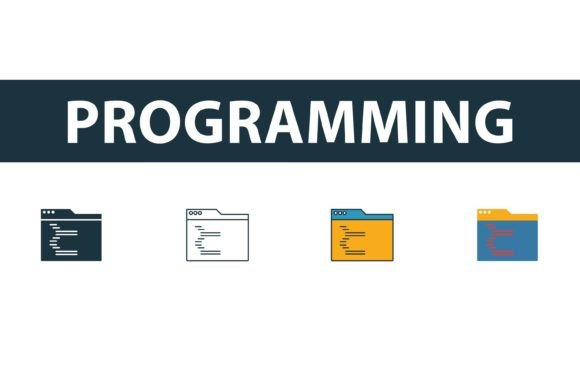
The core value of any icon library lies in its adaptability. The Programming Icon Set distinguishes itself by offering four distinct stylistic variations within a single package: filled, outline, colored, and flat symbols. This diversity allows designers to maintain visual harmony across different sections of a website or application without needing to source assets from multiple vendors.
The filled style provides solid, bold visuals that are ideal for primary navigation elements or calls to action where high visibility is required. In contrast, the outline style offers a minimalist aesthetic, perfect for secondary menus or interfaces that prioritize whitespace and cleanliness. The colored variants add vibrancy, helping to categorize information or highlight specific programming languages, while the flat symbols strike a balance between modern simplicity and recognizability. By having access to these four styles, users can ensure that their iconography aligns seamlessly with their brand’s existing design system, whether it leans towards corporate professionalism or playful creativity.
Technical Specifications and File Formats
For technical users, the format of the asset is often as important as the design itself. The Programming Icon Set is delivered in a suite of industry-standard file formats, ensuring compatibility with virtually all design and development workflows. Users receive EPS, JPG, AI, and SVG files, each serving a specific purpose in the production pipeline.
- SVG (Scalable Vector Graphics): This is arguably the most critical format for web development. SVGs are resolution-independent, meaning they remain crisp on any screen size, from mobile devices to 4K monitors. They are also lightweight and can be styled directly with CSS, allowing for dynamic color changes and interactions without altering the source file.
- AI (Adobe Illustrator): For designers who need to modify the underlying paths or create custom derivatives, the native AI file provides full editability. This is essential for teams that require bespoke adjustments to fit unique branding guidelines.
- EPS (Encapsulated PostScript): A universal vector format that ensures compatibility with older design software and print production workflows, making it suitable for hybrid projects that span both digital and physical media.
- JPG: While not scalable, JPG files are useful for quick previews, documentation, or platforms that do not support vector formats.
The inclusion of these formats underscores the set’s flexibility. Whether you are a frontend developer integrating icons into a React component or a graphic designer preparing a technical brochure, the available files reduce the friction typically associated with asset preparation.
Strategic Benefits for Developers and Designers
Adopting a dedicated Programming Icon Set offers several strategic advantages over using generic icon libraries. First and foremost is semantic accuracy. Generic sets often lack specific symbols for niche programming concepts, such as database structures, API endpoints, or specific language logos like Python, Java, or JavaScript. A specialized set ensures that the visual language matches the technical subject matter, reducing cognitive load for the audience.
Furthermore, consistency in style contributes to perceived professionalism. When an educational platform or a SaaS product uses icons that share the same stroke weight, corner radius, and visual weight, it creates a cohesive user experience. The Programming Icon Set facilitates this coherence by providing a unified look across all symbols. This is particularly beneficial for documentation sites, where clear, consistent visuals can significantly improve readability and user engagement.
Another significant benefit is time efficiency. Searching for individual icons across multiple free resources is not only time-consuming but also risky regarding licensing and quality consistency. By securing a comprehensive pack, teams can streamline their design process, allowing them to focus on implementation rather than asset hunting.
Considerations and Potential Tradeoffs
While the Programming Icon Set offers substantial value, it is important to evaluate it against specific project needs. One consideration is the scope of the project. If a website requires only two or three generic tech icons, purchasing or downloading a large, specialized set might be excessive. In such cases, a lightweight, general-purpose icon library might be more efficient.
Additionally, while the set includes colored and flat styles, these may not align with every brand identity. Companies with strict monochromatic design systems may find themselves using only the outline or filled versions, potentially underutilizing the variety offered. However, since the files are editable vector graphics, this is rarely a hard limitation, but it does require design resources to customize the assets if the default colors do not match the brand palette.
It is also worth noting that while SVGs are highly optimized, the sheer number of icons in a comprehensive set can impact initial load times if not implemented correctly. Developers should consider techniques such as sprite sheets or lazy loading to ensure that the inclusion of these high-quality graphics does not negatively affect site performance.
Ideal Use Cases and Alternatives
The Programming Icon Set is a strong fit for several specific scenarios. It is particularly valuable for:
- Technical Documentation and Blogs: Articles explaining coding concepts benefit greatly from precise visual aids. Icons representing servers, clouds, code snippets, and debugging tools can break up text and illustrate complex ideas.
- SaaS Dashboards: Software-as-a-Service platforms often feature modules for different programming tasks. Consistent icons help users navigate these features intuitively.
- E-Learning Platforms: Coding bootcamps and online courses can use these icons to categorize courses by language or topic, enhancing the visual appeal and usability of the curriculum interface.
However, alternatives may be worth considering in certain situations. If a project requires highly animated or interactive icons, a static vector set may need to be supplemented with Lottie files or CSS animations. Additionally, if the budget is extremely limited and the project is non-commercial, open-source icon repositories like FontAwesome or Heroicons might provide sufficient basic coverage without the need for a specialized purchase.
Making the Decision
Ultimately, the decision to utilize the Programming Icon Set depends on the intersection of design quality, technical requirements, and project scope. For professionals who prioritize semantic accuracy and visual consistency in tech-focused projects, this collection offers a robust solution. The availability of multiple styles and universal file formats ensures that it can adapt to various design systems and development environments.
Before committing, evaluate your current design workflow. If you frequently struggle to find accurate representations of programming concepts or if your current icons lack stylistic unity, this set provides a practical remedy. By offering easy-to-edit vector graphics in EPS, AI, SVG, and JPG formats, it empowers creators to maintain high standards without sacrificing efficiency. As with any design asset, the key is to ensure that the icons serve the user experience, clarifying rather than cluttering the interface. When used thoughtfully, the Programming Icon Set can significantly elevate the professional appearance and usability of any digital product centered around software development.