Streamlining Digital Design with the Flat Technology and Multimedia Icons Set
In the fast-paced world of digital product design, visual consistency is not merely an aesthetic preference; it is a fundamental component of user experience. Whether you are developing a sleek mobile application, designing a responsive website, or creating engaging multimedia content, the icons you choose serve as silent guides for your users. They communicate function, direction, and intent in milliseconds. However, sourcing high-quality, cohesive iconography that aligns perfectly with modern design trends can often become a bottleneck in the development process. This is where the Flat Technology and Multimedia Icons Set emerges as a vital resource for designers and developers seeking efficiency without compromising on quality.
The shift toward flat design has dominated the digital landscape for years, favored for its clarity, scalability, and minimalism. Yet, finding a comprehensive set that covers the specific niche of technology and multimedia hardware—while remaining versatile enough for various platforms—is surprisingly difficult. Many designers find themselves piecing together icons from disparate sources, leading to inconsistent line weights, mismatched styles, and a fragmented visual identity. The Flat Technology and Multimedia icons collection addresses this pain point directly by offering a unified, professional-grade solution tailored for modern interface design.
Solving the Consistency Challenge in UI/UX Design
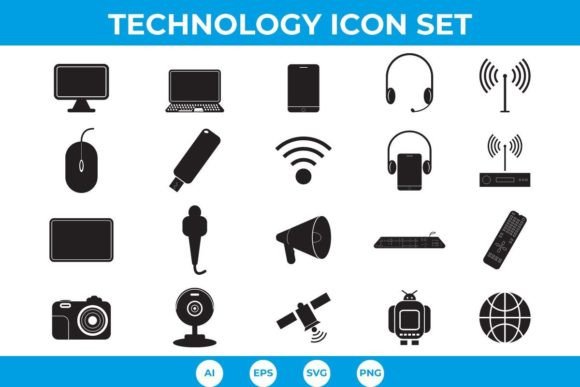
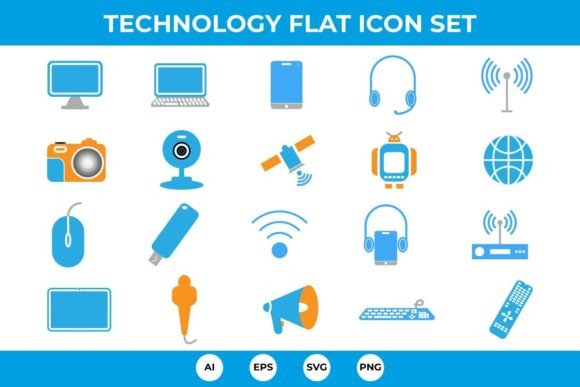
One of the most common challenges faced by UI/UX designers is maintaining visual harmony across different screens and devices. When icons vary in style, stroke width, or perspective, the interface can feel disjointed and unprofessional. This inconsistency can subtly erode user trust and hinder navigation. The primary goal of utilizing a dedicated set like the Flat Technology and Multimedia Icons Set is to eliminate this friction. By providing 20 unique, vector-ready icons that share a common design language, this package ensures that every element of your technological interface speaks the same visual dialect.
Consider the scenario of a tech support application or an e-commerce platform selling electronic goods. You need to represent a wide array of devices and functions: from input devices like keyboards and mice to connectivity tools like routers and satellites. If these icons look like they belong to different families, the user experience suffers. With this set, designers gain immediate access to a cohesive library that includes essential items such as the Desktop Computer, Laptop, Mobile Phone, and Tablet. This uniformity allows users to process information faster, as their brains do not have to adjust to varying visual styles as they navigate through the app.
Versatility Through Multiple File Formats
A significant advantage of the Flat Technology and Multimedia Icons Set lies in its flexibility. Modern design workflows are diverse, ranging from vector-based illustration in Adobe Illustrator to rapid prototyping in Figma or Sketch, and final implementation in code. To accommodate these varied needs, the set includes four distinct file versions: AI, EPS, SVG, and PNG. This multi-format approach ensures that the icons are ready to use regardless of your preferred toolchain.
For graphic designers who need to manipulate the core shapes or integrate the icons into larger illustrations, the AI and EPS files provide full editability. These vector formats allow for infinite scalability without any loss of quality, which is crucial for high-resolution displays and print materials. Meanwhile, web developers and app builders will find the SVG format invaluable. SVGs are lightweight, scalable, and can be styled directly with CSS, allowing for dynamic color changes and interactions based on user behavior. For situations where raster images are required, such as certain email templates or legacy systems, the high-quality PNG files offer a reliable fallback. This versatility means that the Flat Technology and Multimedia icons can seamlessly transition from the design phase to production without the need for cumbersome conversions.
Comprehensive Coverage of Tech and Media Elements
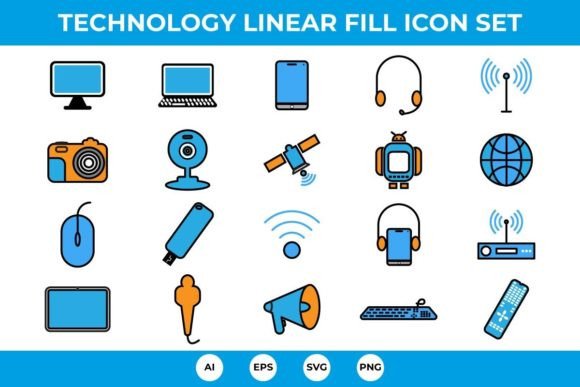
The curation of icons within this set reflects a deep understanding of contemporary digital needs. It goes beyond generic symbols to include specific hardware and functions that are central to modern connectivity and media consumption. The collection features 20 carefully crafted icons, each designed to be instantly recognizable. Key elements include:
- Computing Devices: Desktop Computer, Laptop, Tablet, and Mobile Phone.
- Peripherals and Input: Keyboard icon, Mouse icon, Webcam icon, and Microphone.
- Audio and Visual: Headphones, Camera, and the combined Headphone and Mobile phone icon.
- Connectivity and Network: Router icon, Wireless icon, Satellite, World icon, and Broadcast.
- Storage and Control: Flash Drive, Remote, and Android robot.
- Communication: Announcement icon.
This breadth ensures that whether you are designing a dashboard for a network administrator, a media player interface, or a smart home control panel, you have the necessary visual assets at your fingertips. For instance, the inclusion of both a Wireless icon and a Router icon allows for nuanced differentiation between signal status and hardware identification. Similarly, the Android robot provides specific platform recognition, which is essential for cross-platform applications.
Customization and Ease of Use
While out-of-the-box usability is important, the ability to customize assets is equally critical for brand alignment. The Flat Technology and Multimedia Icons Set is designed with customization in mind. Because the icons are vector-based, changing colors or resizing them is effortless. This is particularly useful for dark mode implementations, where light-colored icons are needed against dark backgrounds, or for adhering to strict brand guidelines that require specific hex codes.
Designers can easily adjust the stroke weight or fill colors to match the surrounding UI elements. For example, if your application uses a vibrant blue as its primary action color, you can quickly update the Broadcast or Announcement icons to reflect this, ensuring that call-to-action elements stand out appropriately. This ease of modification reduces the time spent on asset preparation, allowing teams to focus more on functionality and user flow rather than tedious graphic adjustments.
Practical Applications for Different Users
Different professionals will find unique value in this icon set. Web developers can leverage the SVG files to reduce HTTP requests and improve page load speeds, contributing to better SEO and user retention. Mobile app designers can use the PNGs for quick prototyping before switching to vectors for final production, ensuring that their apps look crisp on retina displays. Marketing teams can utilize the high-resolution AI files to create engaging social media graphics or blog headers that illustrate tech-related topics without needing to commission custom illustrations.
Furthermore, educators and content creators producing tutorials on technology can use these clear, flat icons to visually explain complex setups. For example, illustrating how a Webcam icon connects to a Laptop via a Wireless icon can simplify technical instructions for non-technical audiences. The clarity of flat design aids in comprehension, making abstract concepts more tangible.
Conclusion: Elevating Your Design Workflow
In conclusion, the Flat Technology and Multimedia Icons Set is more than just a collection of images; it is a strategic tool for enhancing digital communication. By addressing the common challenges of inconsistency, format incompatibility, and limited scope, this set empowers designers and developers to create more polished, professional, and user-friendly interfaces. With its 20 unique, high-quality icons covering everything from the Remote control to the Satellite, and its availability in AI, EPS, SVG, and PNG formats, it offers a practical, efficient solution for modern design needs. Embracing such resources allows creative professionals to streamline their workflow, maintain visual integrity, and ultimately deliver better experiences to their users.